
INVITATION-ONLY ACCESS
Hire an AI Watchdog. Detect Fire Earlier.
Use your existing cameras and Windows PC for around-the-clock AI fire and smoke detection with instant mobile alerts.
Wooftech is supported by Taiwan's MODA AI compute program and leading global startup programs
View the official announcement



© 2025 NVIDIA, the NVIDIA logo, and NVIDIA Inception are trademarks and/or registered trademarks of NVIDIA Corporation in the U.S. and other countries.
FIRE DOESN'T WAIT FOR YOU TO BE READY
In 2024, U.S. fire departments responded
to a fire every 23 seconds
Source: NFPA, Fire Loss in the United States During 2024
Traditional alarms often sound only after smoke has built up
Most smoke detectors are designed first for evacuation. By the time they sound, an enclosed space may already be full of smoke.
Equipment and inventory cannot leave the site
People come first. But expensive equipment, inventory, facilities and business interruption also need earlier warning.
Why not spend a few cents a day
to protect the assets you have built?
THREE STEPS TO INSTALL
Put an AI Watchdog on duty
on your existing PC.
Find an existing PC
Install Firewoof HOST on an existing Windows desktop or laptop.
Connect to the same network
Place the PC on the same network as your camera recorder — the same Wi-Fi or router.
Download the app and scan to pair
Download the Firewoof app, then scan the QR code displayed by HOST on the PC screen.
Download the Firewoof app

Need installation details?
View the installation guideREAL GOOGLE PLAY APP SCREENS
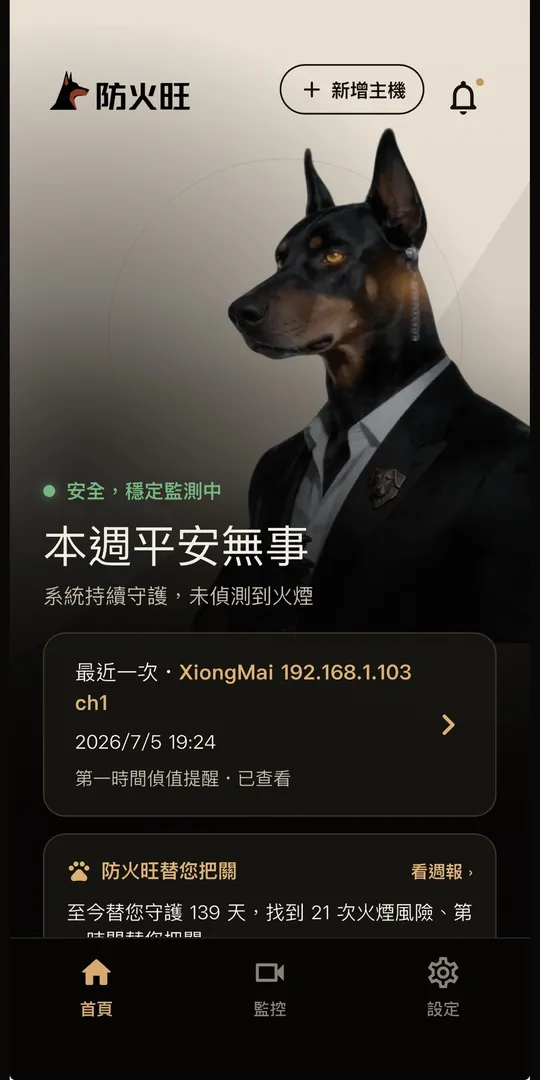
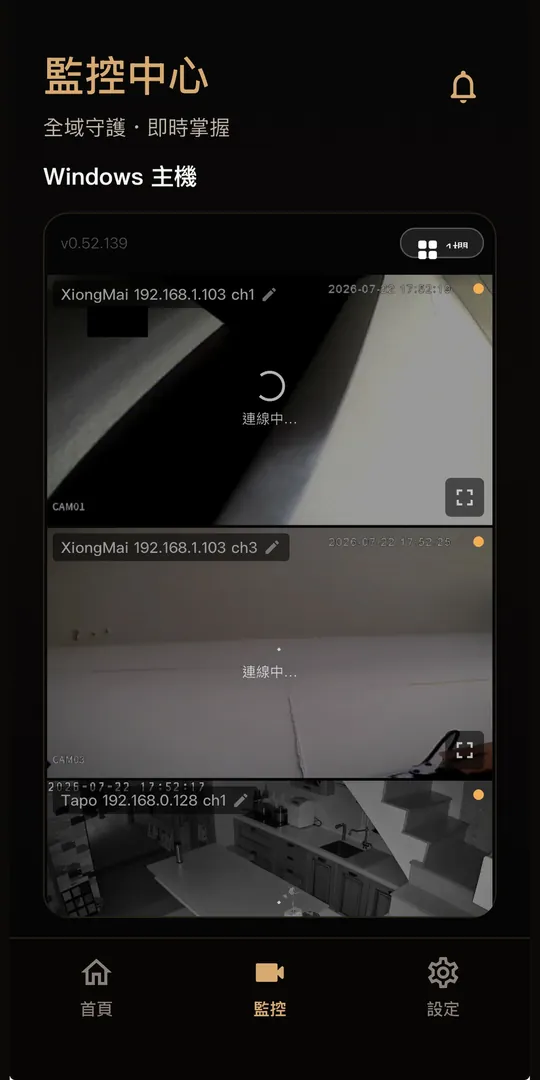
Swipe through to see how
Firewoof protects your site.
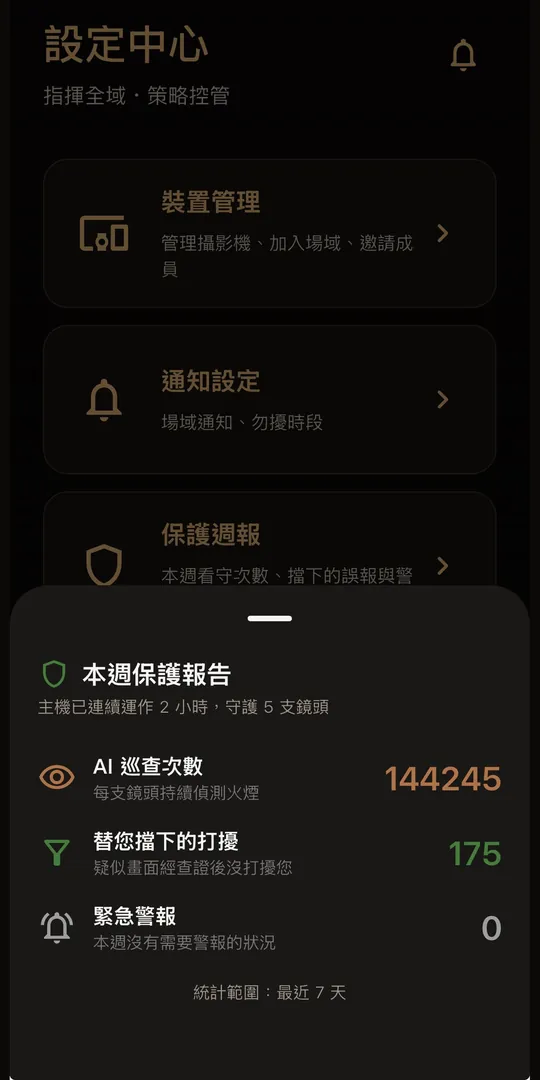
Protection for just a few coins a day
Protect the assets you have built.
For restaurants and services
AI Watchdog Pro
About NT$33 / day
- Fast AI detection
- 0–19 cameras
- Backups stored on your local PC
For factories and warehouses
AI Watchdog Squad
About NT$55 / day
- Fast AI detection
- Advanced AI for secondary verification
- 20–49 cameras
- Smart backup to your own Google Cloud
For multi-site operations
AI Watchdog Legion
About NT$165 / day
- Customizable enterprise AI
- Advanced AI for secondary verification
- 50+ cameras
- Smart backup to your own Google Cloud
- Cross-site management
Our organization and product are designed and maintained with ISO 27001 information-security management, GDPR privacy and SOC 2 principles.
About us
Mei The World Better Co., Ltd.
Company ID: 96782397. Reviewed by the Administration for Digital Industries, Ministry of Digital Affairs and approved under the 2026 Digital Industry Cross-Domain Software Infrastructure and Digital Services Advancement Program. Wooftech also receives startup and technical support from Google Cloud, Microsoft, Cloudflare and NVIDIA.
OUR PRODUCTS
Products
 AI applications & digital marketingConsulting | Training | Implementation
 FirewoofAI fire and smoke guard
Upgrade your existing PC and cameras into an AI fire-alert system.
 Perpetual-license, on-premise AI speech recognition
CLIENT EXPERIENCE
Our clients













FIREWOOF PRODUCT
Meet the team

Co-founder & CEO
MAX WONG
Also Founder & CEO of Dawong Consulting, with practical experience in digital marketing and business growth.
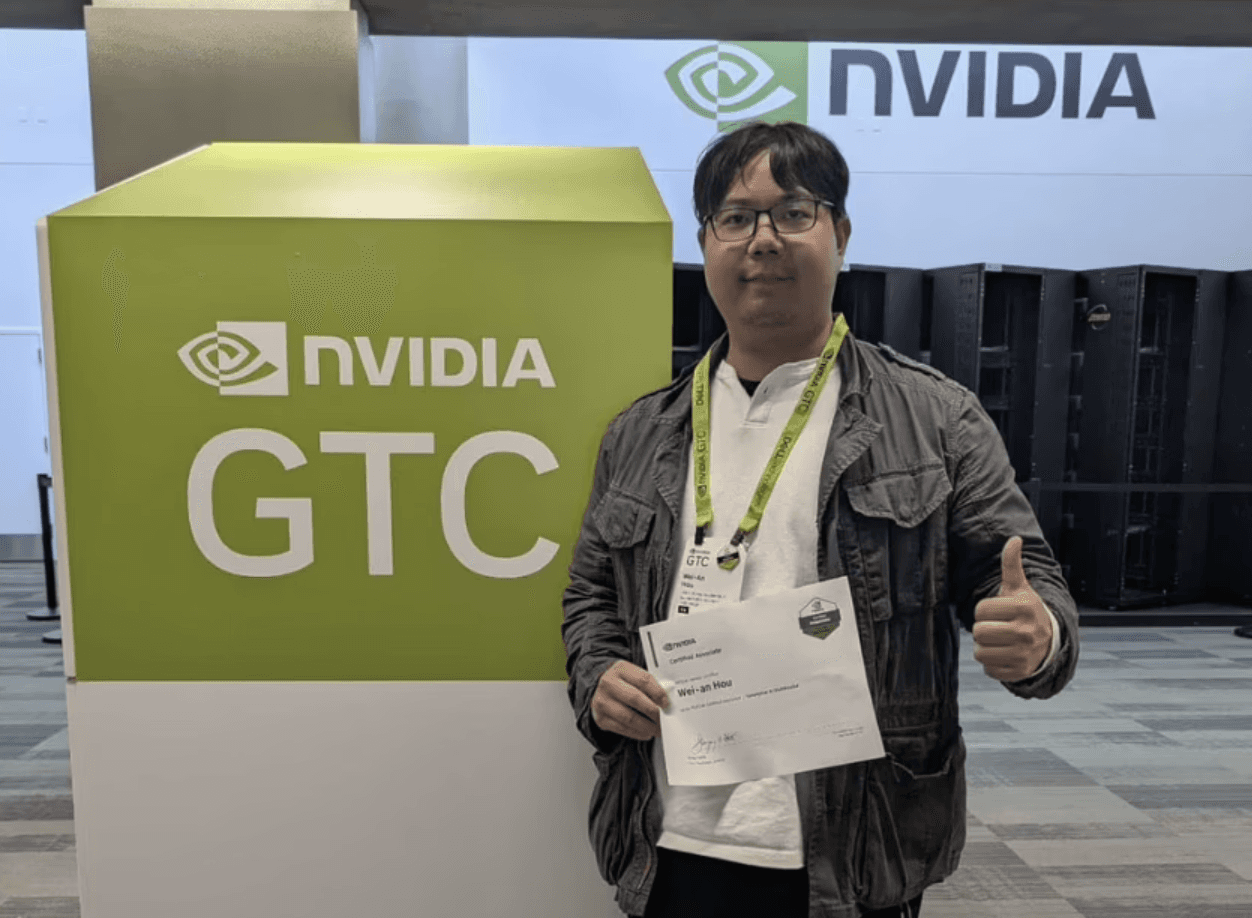
Co-founder & CTO
WEIAN HOU
Leads AI, computer vision and product engineering to make Firewoof reliable for long-term on-site operation.
FAQ
What to know before you start
What is Firewoof?
Firewoof is an AI visual fire and smoke warning system that works with existing IP cameras and a Windows PC. It analyzes video on site, detects visible flames and smoke, and alerts paired phones. It does not replace fire-safety equipment required by law.
Do I need to replace my cameras?
Not at first. Firewoof reviews your current cameras, network and site needs before recommending a deployment approach.
Where is Firewoof HOST installed?
Firewoof HOST is installed on an existing Windows PC at the site. It connects to cameras and runs detection.
Will my phone receive alerts?
After pairing and notification setup, Firewoof sends alerts to paired phones when it detects fire, smoke or scheduled intrusion events.
Can I book a trial or deployment assessment?
Yes. Book on LINE and our team will assess your cameras, Windows PC and deployment needs.
How are plans priced?
Annual plans are published by camera count at approximately NT$33, NT$55 and NT$165 per day. Monthly pricing and deployment scope are assessed for your site.
Can Firewoof replace code-required fire-safety equipment?
No. Firewoof adds visual early warning to existing cameras. It does not replace smoke detectors, fire alarm control panels, sprinklers, or any other fire-safety equipment required by applicable law.